Copy anything
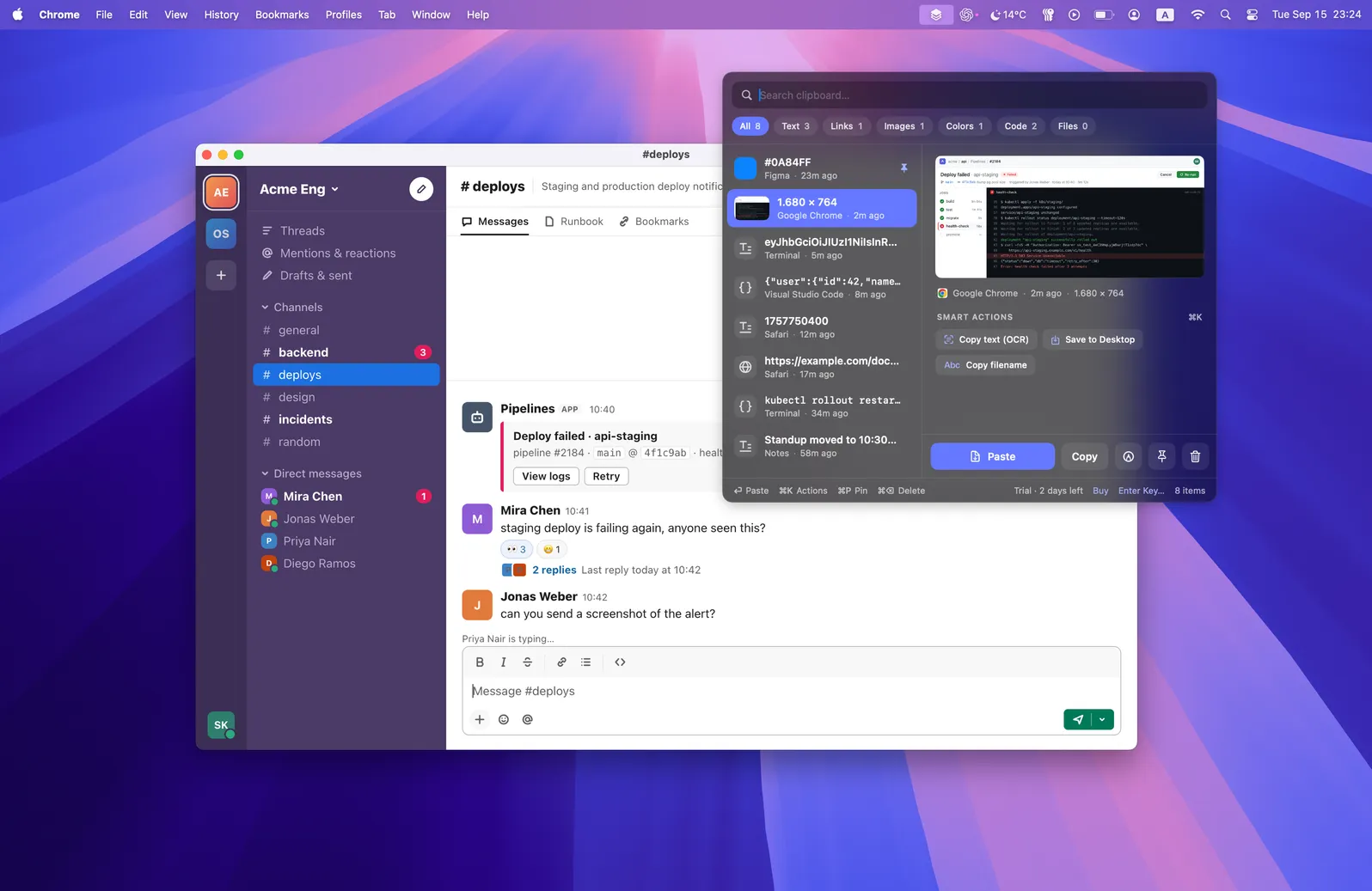
Text, links, images, colors, code, and files go into your History as you copy them. Content that apps mark as concealed, like passwords from a password manager, is skipped.
Copyrail is a clipboard manager for Mac, driven from the keyboard. Crop, mark up, and redact what you copied, then paste it back.
Download free trial3-day trial · $1.99 once · Up to 3 Macs · No account
macOS won't open Copyrail the first time. Go to System Settings → Privacy & Security and click Open Anyway.
Text, links, images, colors, code, and files go into your History as you copy them. Content that apps mark as concealed, like passwords from a password manager, is skipped.
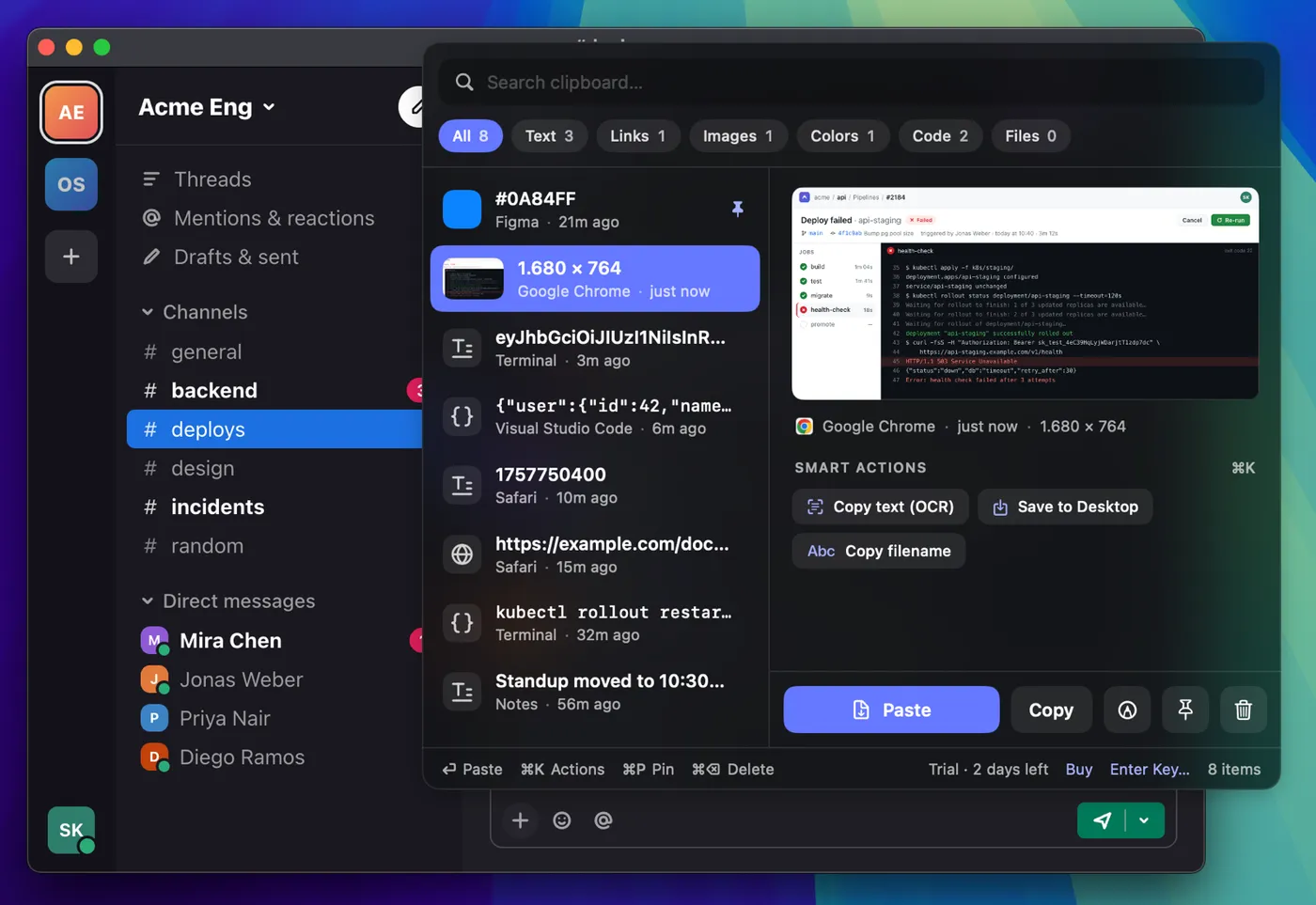
Your History opens over the app you're in. Type to search, or filter to images, links, or code. Pin the ones you reuse. The app you're in keeps focus.
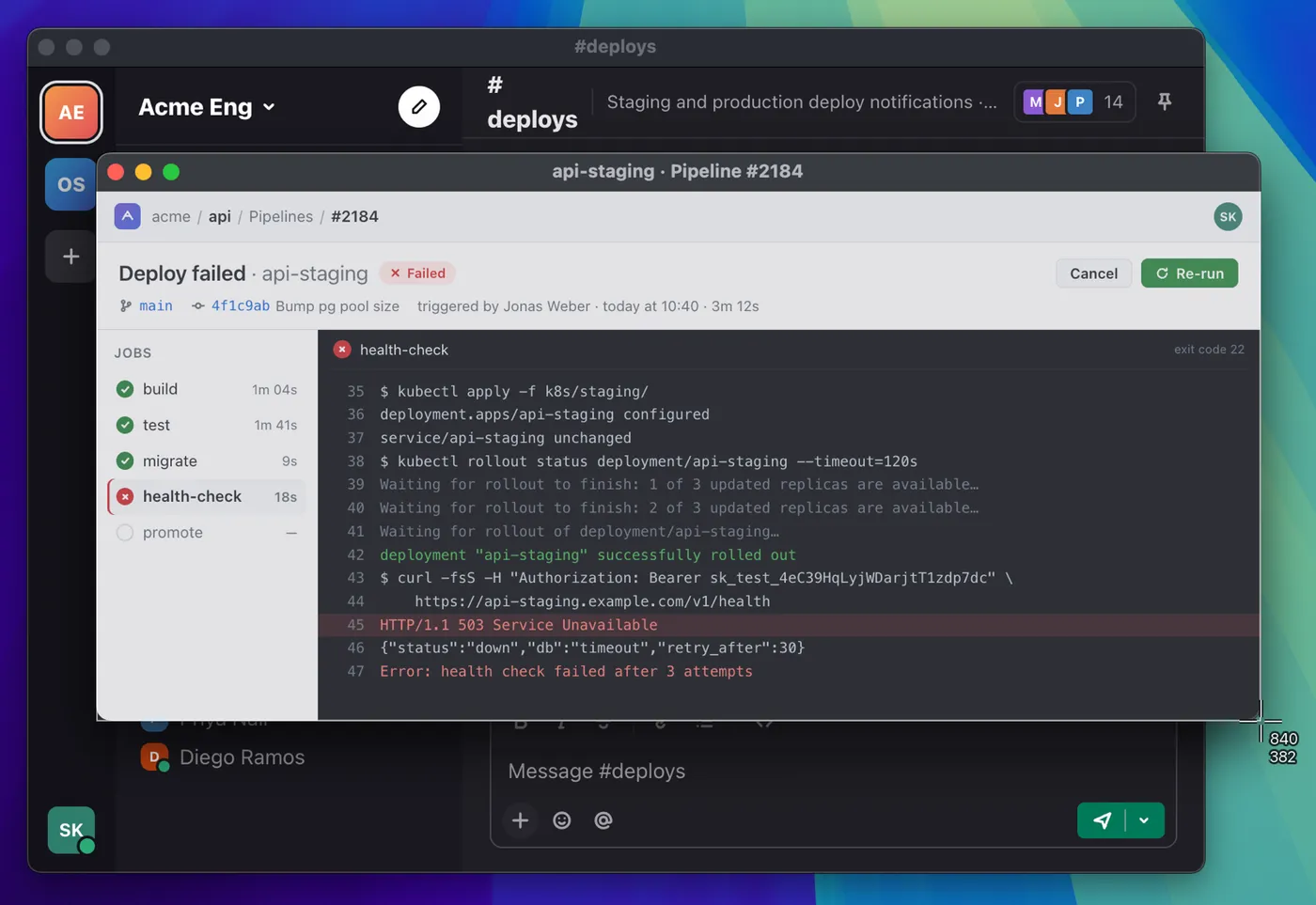
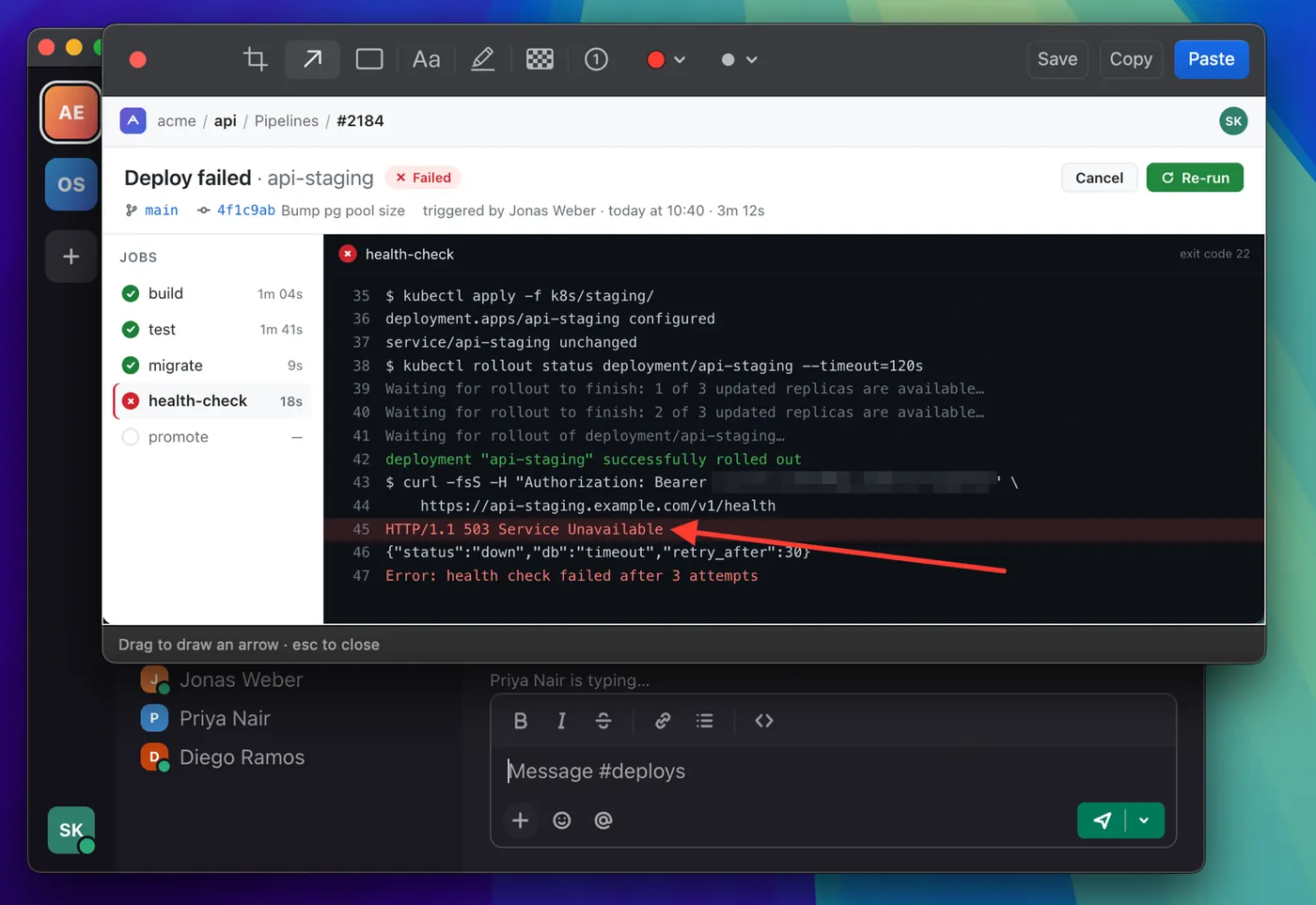
Open the screenshot in the Editor. Crop it, add an arrow, and pixelate the API token. Your original stays in History.
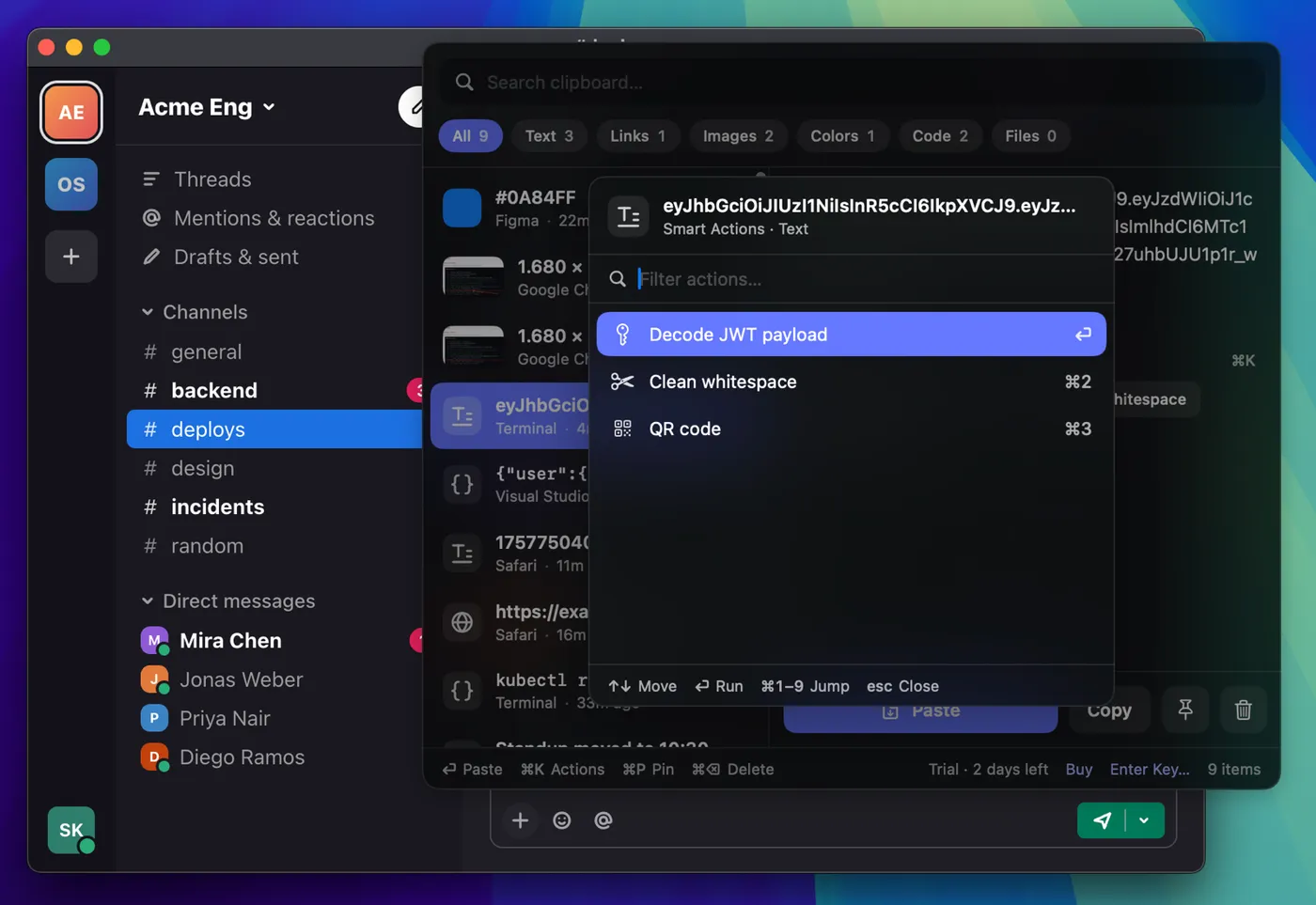
Copied a JWT? Decode its payload. JSON? Pretty-print it. An epoch timestamp? Convert it to a date. The actions match what you copied.
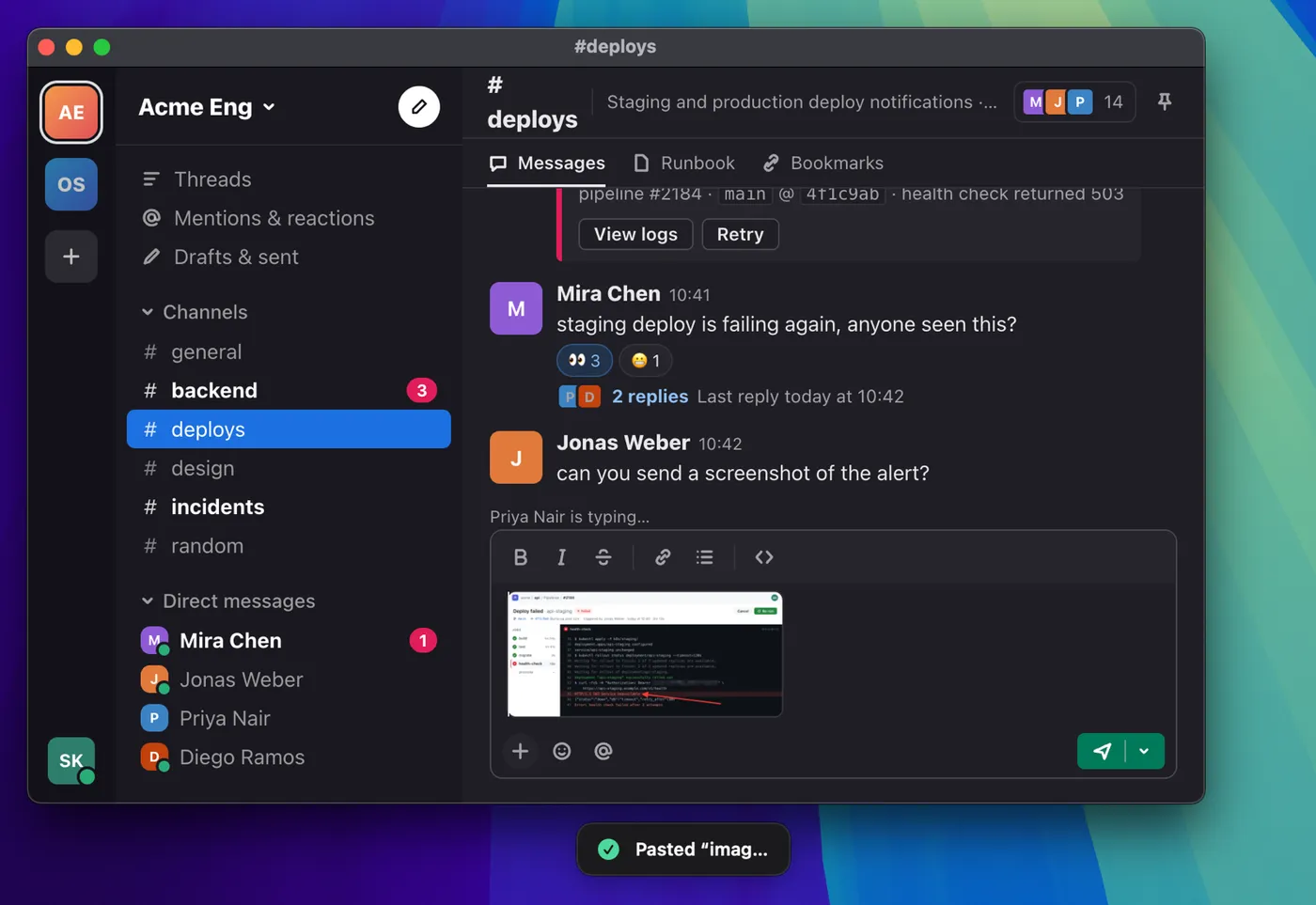
The redacted screenshot, or the decoded payload, lands in the app you came from. No mouse, no switching windows.
No subscription. No account.
macOS won't open Copyrail the first time. Go to System Settings → Privacy & Security and click Open Anyway.
No account, no cloud sync.
Content that apps mark as concealed or temporary is never saved.
Pixelate tokens, emails and faces before a screenshot goes anywhere.
Copyrail stops capturing what you copy but keeps your History, so you can still search, delete, and clear it, and a Purchase restores everything.
macOS requires it before Copyrail can press ⌘V for you in the app you were using. Without it, Copyrail still works: choosing an item puts it on the clipboard and you press ⌘V yourself.
Your History doesn't. Copyrail has no analytics or telemetry, and it connects only when you ask it to: to activate or deactivate a Mac, to check for updates, and to fetch a page's title for Copy as Markdown on a link. Automatic update checks are off unless you turn them on in Settings.
Copyrail never saves content that an app marks as concealed, transient, or auto-generated, and password managers use those marks for copied passwords. A password you copy from a plain text file is saved like any other text.
No. Your History stays on one Mac.
macOS 15 or later. You download it from this site, not the Mac App Store.
macOS 15 or later
macOS won't open Copyrail the first time. Go to System Settings → Privacy & Security and click Open Anyway.